- Sri Lanka's online store for top-ups & gift cards
- Certified reseller
- Safe & secure payment
- Instant digital delivery
- Sri Lanka's online store for top-ups & gift cards
- Certified reseller
- Safe & secure payment
- Instant digital delivery
 Country of use:
Sri Lanka
Country of use:
Sri Lanka
Express checkout
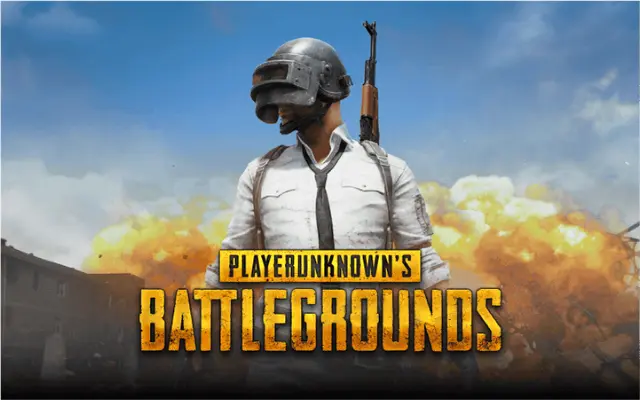
PUBG Mobile UC, short for Unknown Cash, is the in-game currency used to buy premium content in PUBG Mobile. You buy it from TopUps.lk in LKR and receive an EPIN once your order is processed. UC covers outfits, weapon skins, emotes and crates, and it also goes towards the Royale Pass. So if you play through a full season, topping up is usually the quickest route to the rewards track.
First, choose the amount you want. Then complete the order and pay with PayHere, PayPal or a bank deposit. Once your payment clears, the EPIN appears in your account. After that, follow the supported redemption process to add the credit to your game account. You will need your player ID to hand, so find it in your game profile before you start.
Most cosmetic and premium items in the shop are priced in UC, including seasonal outfits and weapon finishes. The Royale Pass is the other common use, and upgrading it unlocks extra missions and rewards as the season runs. For current pricing and season details, the official PUBG Mobile site is the place to check.
Double check your player ID before redeeming, because credit sent to the wrong account cannot be moved. Also keep the EPIN private until you use it. If it does not arrive, our help centre explains what to do next. For more game credit, browse our gaming gift cards. We list every order and EPIN in your account, so an unused code is easy to find again. Our guide to past orders and codes shows where to look. There is no deadline for redeeming it.
By purchasing or using PUBG Mobile UC, you agree to the applicable PUBG Mobile terms and conditions.
To redeem your PUBG Mobile UC EPIN:
Once successfully processed, the UC will be credited to your PUBG Mobile account.
PUBG Mobile is a popular Battle Royale game where players compete against other players to survive and become the last player or team standing.
Players can customize their characters, collect items, participate in different game modes, and compete across a variety of maps and events.
PUBG Mobile UC is the game’s premium currency. You can use UC to purchase eligible outfits, weapon skins, emotes, accessories, Royale Passes, and other premium in-game content.
You need a valid PUBG Mobile account to redeem and receive your UC.
Make sure you enter the correct PUBG Mobile username and PUBG ID during the redemption process.
Your PUBG Mobile UC EPIN is valid according to the applicable voucher terms. We recommend redeeming your code after purchase rather than keeping it unused for an extended period.
Your available UC balance can be viewed directly within the PUBG Mobile app on your Android or iOS device.
Excellent · 4.8 out of 5
3 hours ago
8 hours ago
14 hours ago
1 day ago
